Smart Home Renovation: How to Upgrade Outdated Technology Without Starting From Scratch
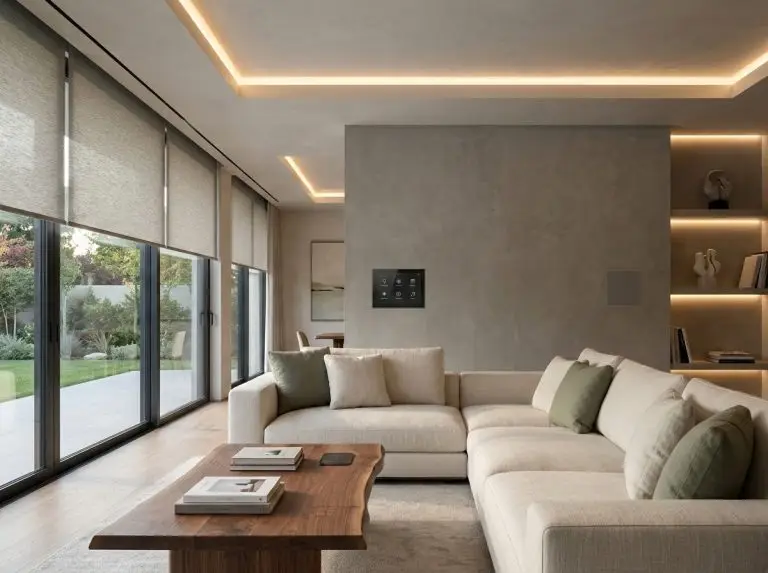
A beautiful home should feel comfortable, functional, and effortless to live in. Today, that experience increasingly depends on technology working quietly in the background. Smart lighting adjusts to your routine, thermostats maintain comfortable temperatures, and automated blinds help manage natural light throughout the day.
But what happens when the technology installed just a few years ago starts feeling outdated?
Perhaps your smart home app no longer works reliably. Your lighting system doesn’t communicate with newer devices, or your home automation setup requires several different applications to control basic functions.
The good news is that upgrading a smart home doesn’t always mean replacing everything. With thoughtful planning, homeowners can improve their existing systems while preserving the interior design they’ve worked so hard to create.
Why Smart Home Technology Ages Faster Than Interior Design
A well-designed kitchen or living room can remain attractive for decades. Digital technology, however, evolves much faster.
Smart home systems depend on software, wireless communication protocols, cloud services, and connected devices. When one component becomes outdated, the entire experience can suffer.
Common warning signs include:
- Smart devices that frequently disconnect or respond slowly.
- Multiple applications needed to control different rooms.
- Older systems that cannot connect with newer products.
- Automation routines that stop working after updates.
- Devices that no longer receive security or software support.
These problems don’t necessarily mean your home needs a complete technological overhaul.
In many cases, the underlying equipment still works perfectly well. The challenge lies in how different devices and applications communicate.
Start With a Smart Home Technology Audit
Before purchasing new equipment, take inventory of what you already have.
List your connected lighting, thermostats, security cameras, smart locks, speakers, automated blinds, and other devices.
Next, identify which systems work reliably and which cause frustration.
For example, an older smart thermostat might still maintain temperatures accurately but lack convenient integration with your preferred home automation platform. A lighting system might function well individually but require a separate application from the rest of your devices.
Understanding these limitations helps you avoid unnecessary purchases.
It also allows you to distinguish between hardware problems and software-related issues.
If a device is no longer supported or cannot meet current security requirements, replacement may be necessary. But when compatible hardware remains functional, updating the software environment or improving integrations may offer a more practical solution.
Modernize the Software Before Replacing the Hardware
One of the most overlooked aspects of smart home renovation is the software controlling everything.
Home automation applications act as the connection between homeowners and their devices. When these applications become outdated, even expensive smart home equipment can feel inconvenient.
For companies developing connected-home platforms, an application modernization strategy can provide a structured approach to updating older software, improving system architecture, strengthening security, and integrating newer technologies without rebuilding every component from scratch.
This can be particularly valuable for smart home platforms that need to support newer communication standards, updated mobile applications, or additional connected devices.
For homeowners, the practical lesson is to evaluate whether an existing system can be updated before investing in an entirely new setup.
Modernization can sometimes deliver a smoother experience while reducing unnecessary hardware replacement and disruption to the home.
Choose Technology That Works With Your Interior
Smart home renovation should never focus exclusively on technical specifications.
The best technology complements the surrounding space rather than dominating it.
In contemporary interiors, homeowners increasingly prefer discreet solutions such as recessed lighting, concealed speakers, integrated charging stations, and minimal wall controls.
A large collection of visible hubs, cables, and control panels can quickly undermine an otherwise carefully planned room.
Consider how technology will fit into the design before installation.
For example, automated blinds can be incorporated into window treatments, while lighting controls can be selected to match existing switches and finishes.
If you’re renovating walls or ceilings, plan wiring and device placement before completing decorative work.
This makes it easier to create a clean appearance without sacrificing accessibility for future maintenance.
Prioritize Compatibility and Long-Term Flexibility
One of the biggest frustrations with older smart homes is limited compatibility.
Different manufacturers may use different applications, communication standards, or proprietary ecosystems.
When choosing new products, look for devices that support widely adopted interoperability standards, such as Matter, where appropriate.
Compatibility can make it easier to expand your system gradually instead of replacing multiple devices whenever you introduce something new.
However, compatibility labels alone don’t guarantee that every feature will work across platforms.
Check which functions are supported and whether additional controllers, hubs, or network equipment are required.
A little research before purchasing can prevent years of unnecessary inconvenience.
Don’t Forget About Security and Privacy
Smart home convenience comes with responsibility.
Connected cameras, locks, thermostats, and other devices can collect information about household activity and daily routines.
Older devices that no longer receive security updates may introduce risks, especially when connected to the internet.
As part of any technology renovation, review software updates, account permissions, password settings, and device support status.
Use strong authentication where available and remove unused devices from your network.
It’s also worth checking how manufacturers store and process personal information.
A beautiful smart home should provide peace of mind, not create new privacy concerns.
Create a Smart Home That Can Evolve
The most practical smart home renovation is rarely the most expensive one.
Instead of replacing every connected device, focus on solving the problems that affect your daily experience.
Maybe that means simplifying lighting controls, improving Wi-Fi coverage, replacing unsupported security equipment, or connecting compatible systems through a more convenient interface.
Think about how your needs might change over the next five or ten years.
A flexible setup makes it easier to introduce new technology without disrupting the design of your home.
And whenever possible, choose solutions that allow individual components to be repaired, upgraded, or replaced independently.
Final Thoughts
Smart home technology should make everyday living easier, not more complicated.
When an older system becomes frustrating, replacing everything might seem like the simplest answer. But thoughtful modernization can often be a more efficient and less disruptive approach.
By reviewing existing devices, improving software compatibility, prioritizing security, and planning technology around interior design, homeowners can create spaces that remain functional and visually appealing as technology evolves.
The goal isn’t to own the newest smart home equipment. It’s to create a home where technology feels natural, reliable, and almost invisible.
After all, the smartest home is the one that simply works.