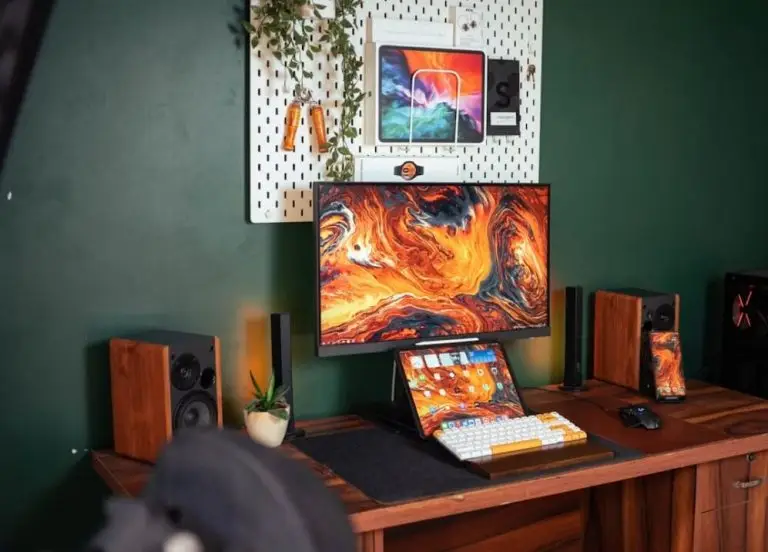
Most home gaming rooms fail for boring reasons. The desk sits too high, the window reflects straight into the monitor, and eleven cables fight under the chair. Fix those three things and a spare bedroom starts to feel like a proper setup. This guide walks through the layout decisions that matter, the upgrades worth paying for, and the step everyone forgets — where the game world itself actually lives.
Start With the Desk, Not the Decor
Buy the RGB strip last. Sort the geometry first.
Sit down and check three measurements. Your elbows should rest near 90 degrees. Your eyes should sit level with the top third of the screen. Your feet should reach the floor flat. Almost every neck complaint in a home setup traces back to one of those three.
Then look at the window. A screen facing a window collects glare all afternoon. A screen with a window directly behind it forces your eyes to fight the backlight. Side-on is the answer, every time.
Light, Sound and the Cable Problem
The rest of the room is easier than people assume.
- Bias lighting. A warm strip behind the monitor cuts contrast strain during evening sessions.
- One overhead source, dimmable. Bright enough to clean the room, soft enough to play in.
- Soft surfaces. A rug and a curtain kill the echo that ruins voice chat.
- A single cable route. Run everything down one leg of the desk into one channel.
- A powered USB hub. It stops you crawling behind the tower twice a week.
- Airflow. Leave 10 cm behind the case. Warm rooms throttle hardware quietly.
None of that is expensive. All of it is noticeable within a week.

The Room Is Only Half the Rig
Here is the part that catches people out. A gaming room is a place to play. It is a poor place to host.
Modded Minecraft makes this obvious. The modding scene is enormous — CurseForge alone reports around 800 million mod downloads every month from roughly 11 million active users. Popular packs like All the Mods 9 bundle over 400 mods into a single world. Run that on your own machine while playing on it, and both jobs suffer.
Renting the world out solves it. Community threads are the fastest way to shortlist providers, and the ongoing best minecraft server hosting for mods discussion on Reddit collects genuine crash reports rather than sponsored praise.
| Setup | Mods | Players | Memory to plan for |
|---|---|---|---|
| Vanilla survival | 0 | 2–6 | 2 GB |
| Light pack | 30–50 | 4–8 | 4 GB |
| Large pack | 200+ | 4–10 | 8–12 GB |
When comparing the best minecraft server hosting for mods, weigh three things above price: single-core CPU speed, how quickly support answers at midnight, and whether backups restore in minutes or hours.
Satya Nadella called Minecraft “an open world platform, driven by a vibrant community”. Its creator was rather more modest about his own role. Markus Persson once described himself as “a nerdy computer programmer” who liked having opinions online. The room you build sits somewhere between those two ideas — personal, and quietly connected to millions of other rooms.
Get the Basics Right and the Room Disappears
The best gaming rooms are the ones you stop noticing. Nothing glares, nothing tangles, nothing hums in the wrong key. Spend your budget on the chair, the desk height and the light, and leave the heavy lifting to a rented server. Then the only thing left to think about is what you are going to build.